
Zoom networking followup (or lack thereof) is the most essential task if you want to make Zoom networking effective. You could spend your whole week in Zoom networking meetings and never move your business forward if you don’t have good follow-up.
As I covered in this post on Zoom Mistakes, most people don’t position themselves well in these meetings, explaining what they do on camera, or in the Zoom chat log, limiting their networking results. Make sure you cover those points.
But the big issue is follow-up. Just meeting people in a big “Zoom room” is great, but it doesn’t lead directly to referrals in most cases. You need to follow-up with people 1-1.
Mimiran’s default settings offer a “Networking” tag, with 3 tasks– to connect on LinkedIn, schedule a 1-1, and make an introduction for the other person.
- Make sure you copy the Zoom chat log.
- Go to the Chat panel in the meeting.
- Click the 3 dots icon (why does Zoom hide this critical feature– they must have their reasons)
- Click Save Chat. (More details on managing Zoom chat logs, including enabling autosave.)
- Open the chat file, which is stored in the Zoom folder (by default, you can change that) with a subfolder name based on the name, date, and time of the meeting.
- Copy the chat contents by selecting the content (you can omit obvious chit chat or other discussion that you don’t need for contact information). You can use your mouse or Cmd+A on Mac or Ctrl+A on Windows. Copy with the context menu, edit menu, or Cmd+C on Mac or Ctrl+C on Windows.
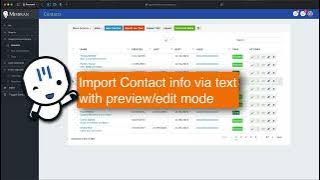
- In Mimiran, click the Paste Contact Info button.
- Paste the copied content.
- Optionally, add a default tag for contacts imported here, like “Networking”.
- Click Preview.
- Adjust fields or contacts, as needed. (You can even delete records for contacts you don’t want to import.)
- Click Import Contacts. (Mimiran will match based on email address or LinkedIn address and update data for contacts you already have.)
- Go through the list of imported contacts (keyboard shortcuts make this easy) and make sure you’ve connected with them on LinkedIn, sent the invite to get on your calendar (set up a Mimiran meeting type for these networking follow ups and link to that), and added tags or other data not covered by the import.
In a couple of minutes, you can turn that hamster wheel of zoom networking into an easy, repeatable process to create actual relationships. Note that you don’t have to meet with everyone! Just be intentional about it.
Here’s a video:
With effective Zoom networking followup, you get much more mileage with less time spent networking.