
One of the cool features in macOS 26 (Tahoe) is the ability to use your screen as a ring light for video calls and recording (they call it EdgeLight). However, for various reasons, I don’t want to upgrade to Tahoe (see John Gruber’s Daring Fireball blog for a rundown of many of the usability annoyances).
It seems I’m not the only one who feels this way, as there are other apps in the Mac App Store to provide this kind of functionality without upgrading to Tahoe. However, they seem to suffer from the same UX problem as EdgeLight– excessive macOS curvature, which wastes a ton of space.

So just for fun, I made BoxLight, which gives you control over the width of all 4 sides, the brightness, and the temperature of the light, but extends to the corners of the screen, and only has curvature to match the application windows, so you can access all the title bar of your applications, while expanding them to take up as much screen real estate as possible.

To adjust the settings, click the menubar icon.

BoxLight Pro
With the in-app purchase, you get some extra controls.
In addition to temperature and brightness controls, you can adjust all four sides independently (perhaps you have pretty good lighting on one side, but not on the other, in some situations, you just need a little extra light, and in others, you need a lot, but not from the top, etc). The app will remember your settings between sessions, so you don’t have to keep adjusting each time. (I tend to use pretty narrow bands, but a bit thicker on the sides, and I have it set to surround my Zoom window with the chat open. Sometimes I move the top bar to grab a window underneath, then move the top back.)
You can also use the focus dimmer control to dim all windows except the top level window.
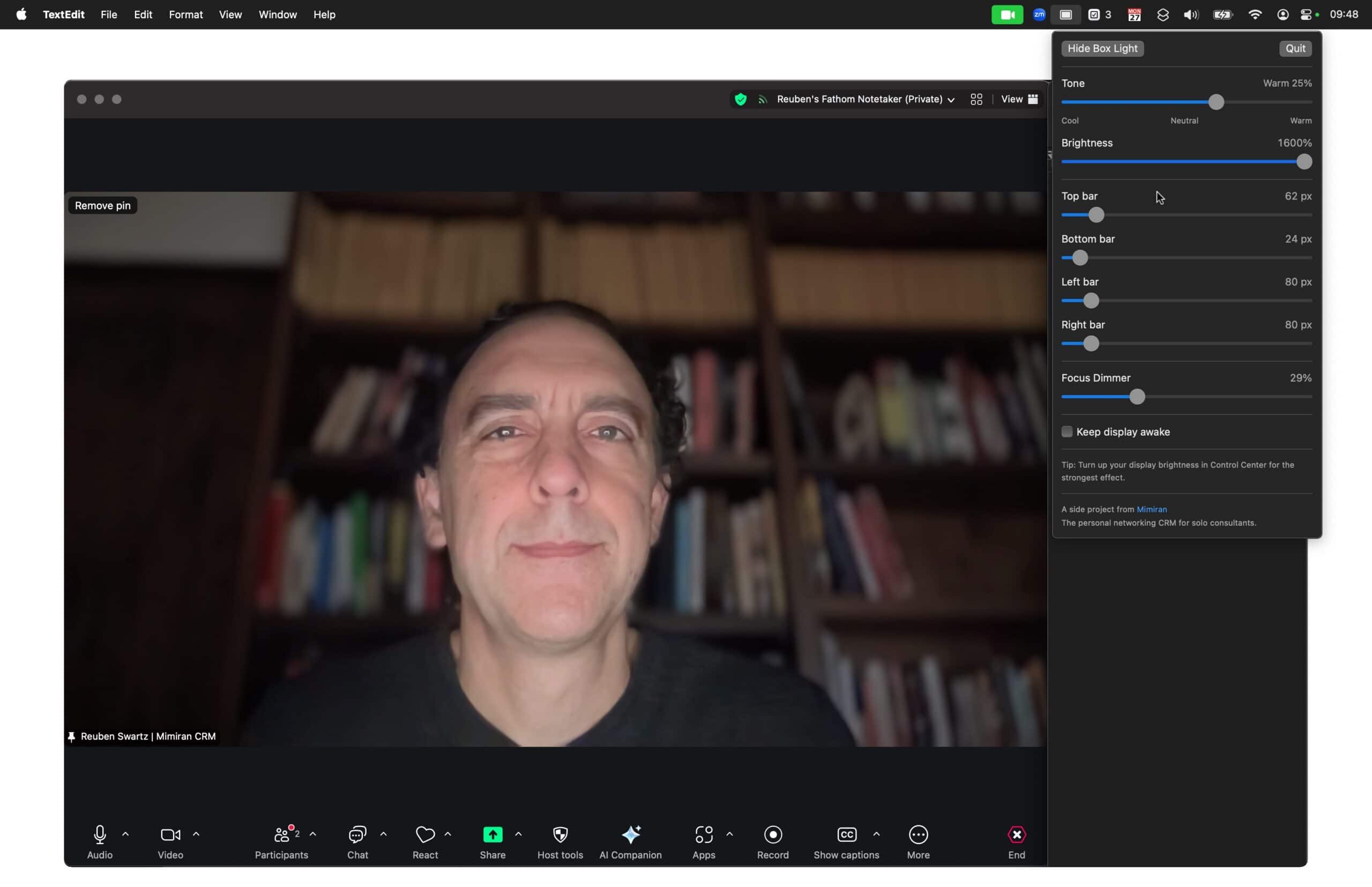
Now you can get that nice ring light effect without needing an external light, upgrading to Sequoia, or having to give up a huge chunk of your screen.
Download on the Mac App Store
You can install BoxLight on the Mac App Store.
Also, if you’re doing a lot on Zoom, make sure to check out the free training on turning Zoom meetings into evergreen lead magnets.
Privacy
BoxLight doesn’t collect any information about you.